AERONET Instrument Troubleshooting Interface - Solutions for CONSTANT HUMIDITY STATUS Flag
Description The instrument has a wet sensor mounted outside the control box that detects rainfall. When precipitation is detected, the instrument parks itself in a protected position to prevent water from entering the optical path. If the wet sensor becomes stuck in a permanently "wet" state, the instrument will remain parked indefinitely regardless of actual weather conditions, causing a complete loss of measurements.
Condition(s) Flag if at least 4 days during a week only humidity statuses are reported from early morning till m=2.5. Flag if humidity statuses are reported from early morning till m=2.5.
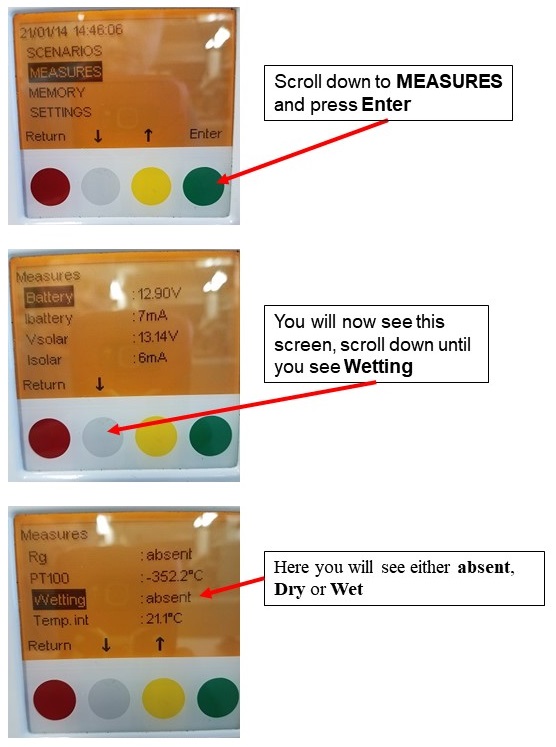
How To Check/Test Model 5: On the control box go to VIEW > BAT > red button (HH 0 = dry, HH 1 = wet) (See Model 5 check wet sensor)
Solution Level 1 (< 5 minutes) 1. Ensure wet sensor is secured and facing upwards. 2. Ensure gold sensing contacts are clean. 3. Check the connector and HH port for wetness or corrosion (oxidation)
Solution Level 2 (more involved) 1. Disconnect the wet sensor, then check the HH status. If the status is still 'wet', then the problem is with the connector panel or control box. 2. Disconnect the connector panel, then check the HH status. If the status is still 'wet', then the problem is with the control box.
Solution Level 3 (last resort) 1. If the problem is with the control box, check/reseat internal connections and test again (Model 4 and 5 ONLY) 2. Replace the wet sensor and/or other faulty components.